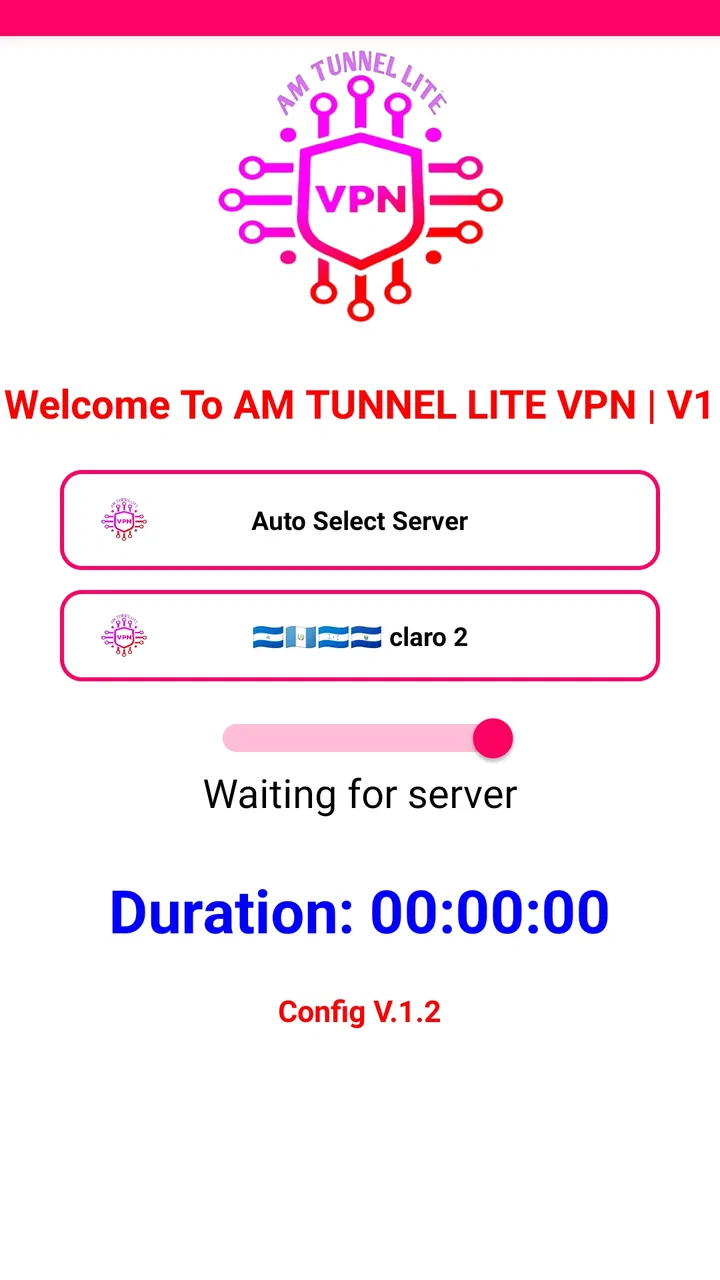
AM TUNNEL LITE VPN
- 4.5
- Rating
- 10.00M
- Installs
- Free
- Price

 Analysis by App-foxy
I spent time with AM TUNNEL LITE VPN as a practical Android tool rather than treating it like a one-tap magic solution. It is a free VPN app from APNA TUNNEL, aimed at people who want a simple way to change how their connection is routed while browsing, watching videos, or using public Wi-Fi. The app is listed for Everyone and works on Android 7.0 or later, so it is accessible on many older phones as well as newer devices.
My first impression was that its appeal comes from being direct. You install it, open it, look through the available connection controls, and decide whether the current setup is suitable for what you want to do. That simplicity is useful, but it also means the quality of your experience depends on choosing sensible settings and recognizing when a VPN is not the right tool for the task.
How I used AM TUNNEL LITE in everyday situations
My baseline workflow was deliberately simple. Before connecting, I checked whether I actually needed a VPN. For ordinary browsing on a trusted home network, leaving the connection alone is often the least complicated choice. On public Wi-Fi, during travel, or when I wanted to test a different route to a service, the app became more relevant.
You May Also Like

 Blood Strike: 2.5 Anniversary
Blood Strike’s Loadouts Turn Every Drop Into a Tactical Gamble
A close look at Blood Strike’s custom loadouts: how fast access to signature weapons reshapes its battle royale rhythm, rewards preparation, and narrows the gap between fights.

 Pandora - Music & Podcasts
Pandora’s Music Is Easy to Start, but Harder to Recover
Pandora’s strength is its low-effort path from a seed to a station. Its weak spot is how much confidence it asks you to place in connection, setup, and quiet recovery.

 8 Ball Pool
 Is Built on Rivalries, Rematches, and Routine
A close look at the rivalries, rematches, shared routines, and unanswered safety questions that turn a quick pool match into a persistent mobile community.

 Samsung Music
’s Quiet Strength Is Playing What You Already Own
Its reach comes less from spectacle than from dependable access to a personal library. That simplicity is both the app’s strongest retention engine and its ceiling.

 AccuWeather: Weather Radar
AccuWeather Review: A Quick, Clear Forecast for Everyday Decisions
For everyday plans, the best forecast is the one you can understand quickly. AccuWeather makes rain timing, radar, and local conditions easy to act on, with a few trade-offs.

 Hill Climb Racing
Why Hill Climb Racing Still Turns Crashes Into One More Run
A tiny car, a bumpy hill and one more upgrade: Hill Climb Racing keeps resurfacing because its simple chaos makes every near-miss feel personal.
More From Our News Desk



I opened the app, reviewed the available connection choices, connected, and then tested the result with the activity I cared about. That last step matters. A connection can appear active while a particular website, video service, or online account still behaves differently. I found it more useful to judge the session by whether the intended task worked smoothly than by assuming that a connected status answered every question.
A realistic example would be sitting in a café and needing to check email, browse a website, and watch a short video. I would connect before signing in, wait for the connection state to settle, then open the services one at a time. If browsing worked but video playback became unreliable, I would not keep changing settings randomly. I would disconnect, try a different available option, and compare the result with the VPN turned off. That repeatable habit is more dependable than expecting one configuration to suit every network.
The app has attracted a sizeable audience, with an average rating of 4.5 from around 72 thousand ratings and more than 10 million installs. Those figures suggest that many Android users find its basic approach useful. They do not guarantee that every server or network will perform equally well, so I still recommend treating the rating as a sign of popularity rather than a promise of identical results on your phone.
For occasional use, the free price is a strong reason to try it. I could explore the basic workflow without committing money first. That makes it approachable for someone who needs a VPN only now and then, especially on an older Android handset. It is less compelling for a person who expects a polished, fully managed privacy suite with extensive explanations for every technical choice.
The first checks I would make
Before using the connection for anything important, I would confirm that the phone has a stable internet connection of its own. A VPN cannot repair weak mobile coverage or an overloaded café network. If the underlying connection is already struggling, adding another routing layer may make the problem more noticeable.
I would also decide what the session is for. Watching a video, opening a blocked page, protecting casual browsing on shared Wi-Fi, and accessing a work account are different situations. A setting that is acceptable for a quick video may not be appropriate for sensitive work. I would avoid assuming that a VPN makes every activity anonymous or that it replaces careful account security.
Another practical check is battery and data awareness. Long video sessions naturally consume more data and power, and routing them through a VPN does not change that basic reality. If the phone is already low on battery, I would use the app only when the benefit is clear rather than leaving it active for the entire day by habit.
Settings that deserve attention
Rather than changing every option at once, I recommend learning what each visible connection choice is intended to do and changing only one thing between tests. This is especially important with AM TUNNEL LITE because a faster-looking option is not automatically better for stability. A configuration that connects quickly may still struggle with a particular website or video route.
My preferred method was to keep a small mental record: which option connected, whether normal browsing loaded properly, whether video started without repeated pauses, and whether other apps continued working. This sounds basic, but it prevents a common mistake: switching through several choices and then forgetting which one produced the best result.
Experienced users can make the process faster by separating “connection testing” from “daily use.” I would first test a setting with a lightweight webpage, then try the actual service I planned to use. If both worked, I could reuse that choice for a similar session. If only the first test worked, I would not call the configuration reliable yet.
It is also worth checking Android’s own VPN indicators and notification behavior after connecting. The app’s screen is useful, but the operating system can provide a second confirmation that traffic is being routed through a VPN connection. If the connection drops, I would notice whether the phone returns to ordinary networking or whether the activity simply stops. That distinction helps me decide whether to reconnect, change settings, or postpone the task.
I would not install several VPN apps and run them together. Multiple VPN services can conflict, make troubleshooting harder, and create confusing connection states. If you already use another VPN, decide which app should handle the session instead of treating AM TUNNEL LITE as an extra layer by default.
Repeatable shortcuts for quicker sessions
The fastest pattern I found was to prepare around the activity rather than opening the app after a problem appears. If I knew I would use public Wi-Fi for browsing, I would connect before opening accounts or starting a video. This reduced interruptions and made it easier to tell whether the VPN was helping.
For regular use, I would keep the same successful routine: connect, test one ordinary page, open the intended service, and disconnect when finished. The value of this habit is not a hidden feature; it is consistency. When something goes wrong, I can identify whether the issue came from the network, the chosen configuration, or the service itself.
Another useful shortcut is to avoid testing during the most important part of a task. If I needed to join a time-sensitive meeting or send a work file, I would not experiment with a new route moments beforehand. I would test earlier, and if the VPN introduced instability, I would use the normal connection or another trusted solution. AM TUNNEL LITE is better suited to flexible activities where I can afford a quick comparison.
For video watching, I would begin with a lower-demand test rather than immediately starting a long stream. A short clip or a brief section of the intended service can reveal buffering or compatibility problems quickly. If playback is poor, changing the connection choice may help, but repeatedly reconnecting can waste time and data. After two or three sensible attempts, I would stop and use a different route or return to the regular connection.
I also found it helpful to disconnect when the original reason for using the VPN had ended. Leaving it active can make later troubleshooting less obvious, particularly when a banking app, shopping service, or location-sensitive application behaves unexpectedly. A simple start-and-stop habit keeps the phone’s networking state easier to understand.
Where the app is useful, and where it is not
AM TUNNEL LITE makes the most sense for Android users who want a free tool for occasional VPN sessions and are comfortable doing a little testing. It can be useful when browsing on shared networks, checking how a service behaves through another route, or watching entertainment when the selected connection handles the service well.
I would be more cautious about using it as the sole solution for high-stakes privacy, business access, or long-term travel. Those situations often call for clearly documented security practices, dependable support, predictable performance, and a service whose policies and technical behavior you have examined carefully. A simple app can be convenient without being the best choice for every sensitive scenario.
The comparison with ordinary alternatives is straightforward. Using no VPN is usually simpler and may be faster on a trusted network, but it does not provide the same change in routing. A browser’s private mode can reduce local browsing history without acting as a VPN, so it solves a different problem. A more established paid VPN may offer a more polished experience and clearer controls, but it also asks you to pay and may be excessive for someone who only needs occasional access.
Compared with those options, this app sits in the practical middle: easier to try than a paid service, more broadly useful than private browsing alone, but less suitable when you want a carefully managed privacy product. I would choose it for convenience and experimentation, not because the VPN label removes the need for judgement.
Limits that experienced users should understand
The most important limitation is that a VPN connection does not guarantee smooth streaming. Video services can respond differently to different routes, and performance may vary with network congestion, distance, or compatibility. The app’s store summary presents watching movies as a central use, but I would still test the exact service before relying on it for a full evening of viewing.
There can also be friction when an app or website expects your usual network location. Some services may ask for another sign-in, show different content, or reject a connection that looks unusual. That is not necessarily a fault in the phone or the VPN. It is a reminder that changing the route can change how online services evaluate the session.
Speed is another trade-off. Even when the connection is stable, routing traffic through a VPN can add delay. For ordinary reading, that may be barely noticeable. For large downloads, live video, cloud gaming, or a video call, the difference can matter more. I would compare the VPN and non-VPN experience instead of assuming that the connected state is automatically the better one.
Privacy also needs a realistic interpretation. A VPN can help shield traffic from some observers on a shared network, but it does not make you invisible to websites, signed-in services, or every form of tracking. I would still use strong account passwords, enable account security features where available, and avoid entering sensitive information on suspicious pages.
The app is marked as free, which removes a payment barrier but does not remove the need to read the app’s current screens carefully. Before relying on it for regular use, I would review what the app asks me to accept and how Android reports its connection. I would also keep the application updated through the normal store process when updates are offered, since connection tools are closely tied to operating-system behavior.
Its current version is shown as AM, and the developer is APNA TUNNEL. That naming is easy to recognize, but it also reinforces the importance of checking that you have installed the intended application rather than an unrelated copy with a similar name. I would verify the developer name on the app page before installation, especially when searching from a new device.
What I would tell a friend before installing it
I would tell a friend that the app is worth trying if they want a no-cost Android VPN and are willing to judge it by real tasks. Start with low-risk browsing, learn which connection choice behaves best on your network, and keep the routine consistent. Do not begin with a critical work session or assume that a successful connection means every app will work normally.
I would also explain that the Everyone content rating makes it approachable for a broad audience, but age suitability is not the same as technical suitability. A younger or less experienced user may still need guidance about suspicious links, account logins, and the limits of VPN privacy. The tool can change routing; it cannot replace safe online habits.
If the main goal is occasional browsing protection on public Wi-Fi, AM TUNNEL LITE can be a reasonable starting point. If the main goal is dependable access to a particular streaming catalog, uninterrupted professional calls, or a thoroughly documented privacy service, I would compare it with alternatives before making it part of my daily routine.
One small but important habit is to test after changing networks. A configuration that worked on home broadband may behave differently on mobile data or café Wi-Fi. I would not interpret that change as proof that the app has failed. Instead, I would repeat the same short test and decide whether the current network makes the VPN worthwhile.
My verdict after building a routine around it
AM TUNNEL LITE is a useful, approachable tool for people who want to explore VPN connections without paying first. Its strongest quality is not a complicated feature set; it is the ability to fit into a simple repeatable workflow on Android. I can connect for a specific reason, test the result, use the service I need, and disconnect when finished.
Its weaknesses are just as practical. Results can depend on the network and the selected configuration, streaming is not guaranteed to be smooth, and users who need advanced privacy assurances may want a more specialized alternative. The app rewards patience and basic troubleshooting rather than blind reliance.
With a 4.5 average and a large installed audience, it is clearly not an obscure experiment. Still, popularity should be treated as an invitation to try it, not as a substitute for checking whether it works for your own connection and services. I would recommend it to casual Android users, travelers who need a flexible free option, and anyone comfortable comparing a few settings.
My final recommendation is conditional but positive: use it as a practical VPN tool for everyday, low-risk situations, keep your expectations realistic, and develop a repeatable connect-test-use-disconnect routine. If that routine gives you stable results, the app can earn a place on your phone. If your needs demand guaranteed performance, detailed privacy documentation, or professional support, choose a more specialized VPN instead.
FAQs for AM TUNNEL LITE VPN
01What is AM Tunnel Lite VPN and how does it work?
AM Tunnel Lite VPN is a virtual private network application designed to enhance your online privacy and security by encrypting your internet connection. It works by rerouting your internet traffic through remote servers, masking your IP address, and making your online activities anonymous. This ensures that your data remains secure from hackers and surveillance.
02Is AM Tunnel Lite VPN free to use, or are there any hidden costs?
AM Tunnel Lite VPN offers a free version with basic features, allowing users to enjoy secure browsing without any initial costs. However, for enhanced features such as faster speeds, a wider range of server locations, and priority support, users can opt for a premium subscription, which involves additional fees.
03On which platforms is AM Tunnel Lite VPN available?
AM Tunnel Lite VPN is available for both Android and iOS devices, making it accessible to a wide range of smartphone users. The app is designed to be user-friendly and can be downloaded directly from the Google Play Store for Android devices and the Apple App Store for iOS devices.
04Does using AM Tunnel Lite VPN affect internet speed?
While using AM Tunnel Lite VPN may slightly affect your internet speed due to the encryption and rerouting process, the impact is generally minimal. Premium users may experience faster speeds as the app provides access to high-speed servers. Overall, the speed trade-off is negligible compared to the security benefits.
05How secure is AM Tunnel Lite VPN in protecting personal data?
AM Tunnel Lite VPN employs strong encryption protocols to ensure that your data is kept secure during transmission. It protects against data leaks and unauthorized access, offering a high level of privacy. However, users should always ensure that they are using the latest version of the app to benefit from the most up-to-date security features.
Pros
- Fast connection speeds for browsing.
- Easy-to-use interface for beginners.
- Supports multiple protocols for flexibility.
- Low battery consumption during use.
- No registration required for access.
Cons
- Limited server locations available.
- Ads can be intrusive at times.
- No dedicated customer support.
- Free version has data limits.
- Occasional connection drops.

AM TUNNEL LITE VPN
Gallery